How I Actually Use AI to Build Things
I've sent about 700 messages to Claude Code over the past month. That's not a flex. If anything, it's a confession. A lot of those messages were me making the same mistakes over and over before I figured out what actually works.
I want to share what I've learned, because most AI development advice I see is either too abstract ("use AI as a thought partner") or too basic ("just paste your error message"). The reality is somewhere in the middle, and it took me a while to find it. If you're brand new to AI and want to start from the fundamentals, I wrote a beginner-friendly guide that covers how it all works and walks you through building your first project. This post assumes you're already using AI and want to get better at it.
One resource that genuinely helped me was Claire Vo and Teresa Torres' conversation about using AI in product work. A lot of the mental models I use now came from listening to people who were honest about what works and what doesn't, not people selling a "10x productivity" narrative.
The shift that changed everything
For the first few weeks, I treated AI like a search engine that could write code. I'd have a bug, paste it in, get a fix, move on. It worked, but it was slow. I was still the one holding the whole project in my head, deciding what to do next, figuring out how all the pieces connected.
The real shift came when I started treating Claude less like a tool and more like a junior engineer on my team. Not a senior architect with perfect judgment, but a fast, eager teammate who can write code, run commands, and manage multiple tasks at once if you give clear direction.
That changed how I prompt, how I structure my sessions, and how much I can ship in a single sitting.
What I've shipped with AI
In the past month, I've built and shipped:
- Kavu, a Chrome extension and dashboard for managing corporate expenses. Full stack: React frontend, Node backend, Chrome extension, marketing site, deployed to Vercel and Railway.
- This website, from scratch. Next.js, Tailwind CSS, dark mode, a full design system, MDX blog, project pages, custom OG images, deployed to Vercel.
- A 30-agent prediction market simulation to stress-test a business idea before committing real resources.
- A React Native dream interpreter app, migrated off Replit to local development with Supabase.
- An 8-phase migration plan from Stripe Issuing to Lithic, with parallel agents writing backend, frontend, and documentation simultaneously.
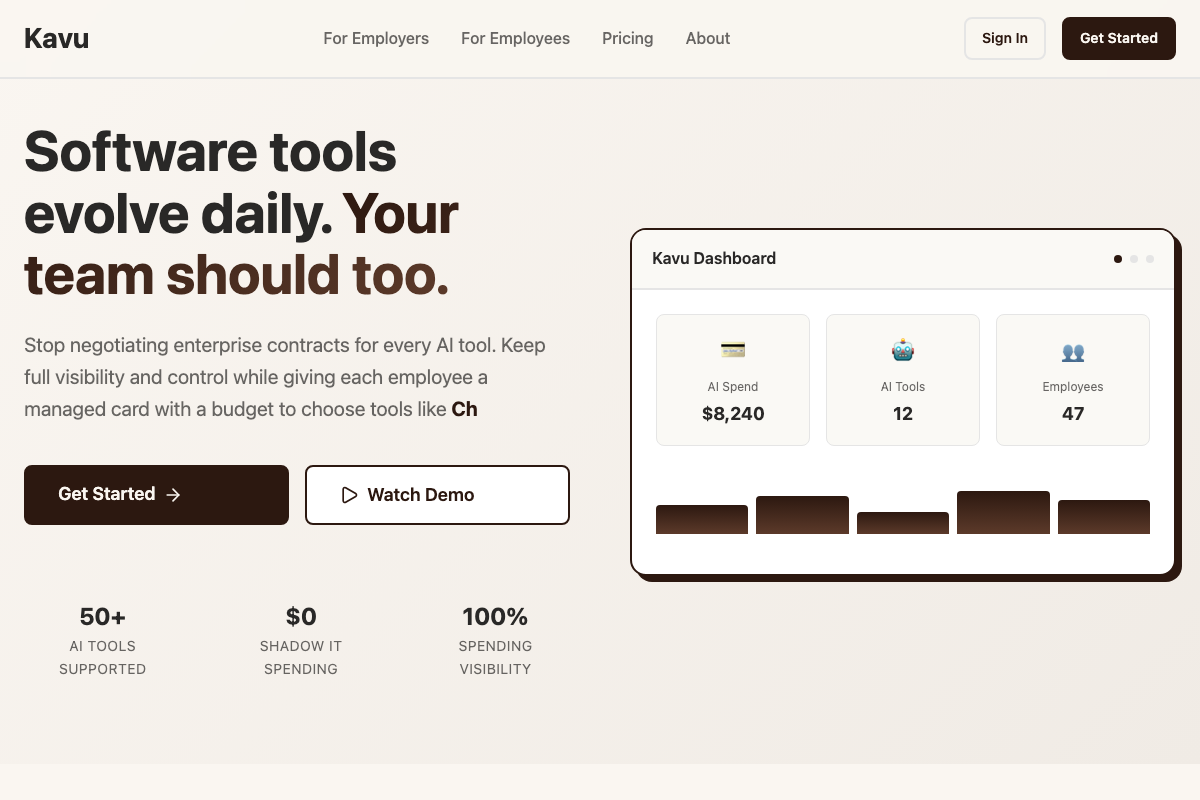
A year ago, any one of those would have been a months-long side project. With AI as a partner, I shipped all of them in weeks.
The Obsidian workflow (my biggest unlock)
If I had to pick the single biggest thing that leveled up my AI workflow, it wouldn't be a prompt technique or a model setting. It would be Obsidian.
I keep a vault for each major project. Inside each vault is a currentstate.md file that serves as the single source of truth. It describes what the project is, what the tech stack looks like, what's been built, what's broken, and what's next. Every time I start a new Claude Code session, the AI reads that file first. It means every session starts with full context instead of me re-explaining the same things.
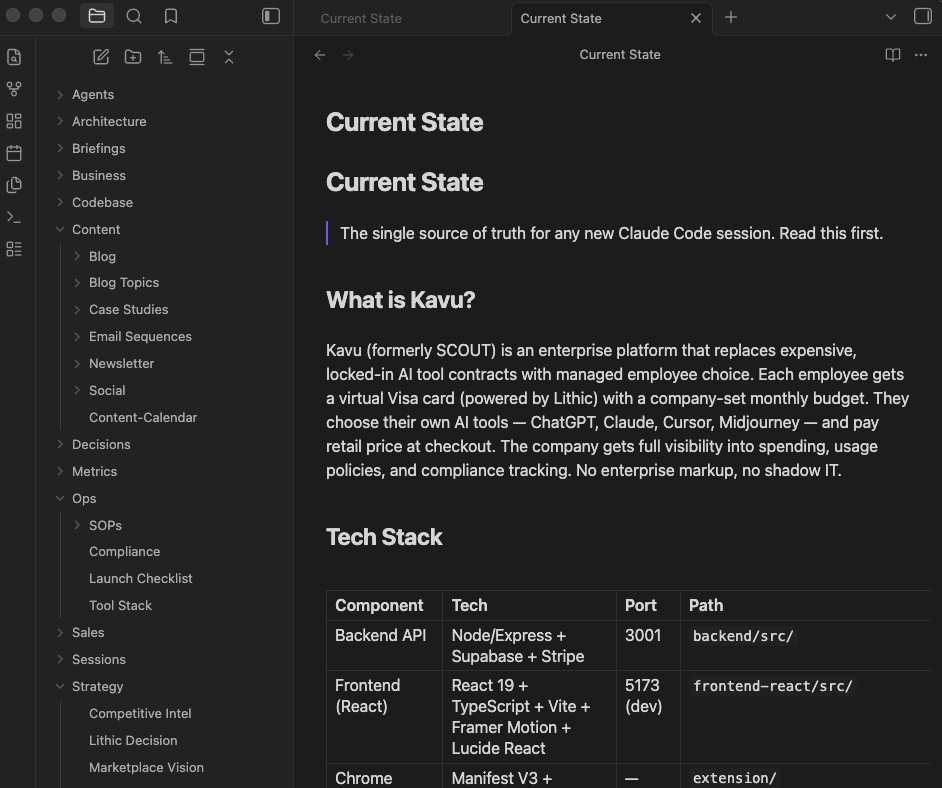
But it goes beyond just context. I use Obsidian to organize everything around a project: competitive research, architecture decisions, content calendars, SOPs, launch checklists, strategy docs. The folder structure becomes a map of the entire business, not just the code. When I ask the AI to help me write a blog post or plan a feature, it can pull from the same knowledge base I use to make decisions.
Here's what a typical project vault looks like:
- Current State - what's built, what's not, tech stack, known issues
- Architecture - system design, data models, API structure
- Strategy - competitive intel, pricing decisions, market positioning
- Content - blog topics, email sequences, social posts, case studies
- Ops - SOPs, compliance notes, launch checklists
- Decisions - documented choices with reasoning (so the AI doesn't re-litigate them)
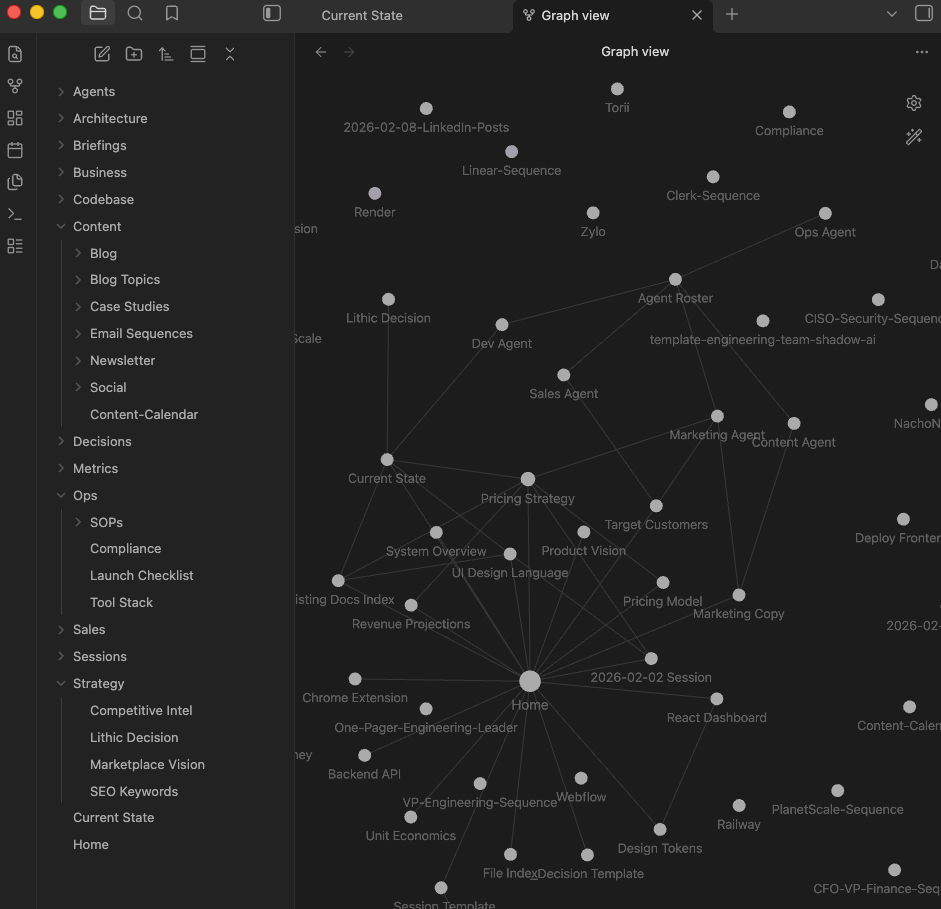
The key insight is that Obsidian files are just markdown. Claude Code can read and write them natively. So the vault becomes a shared workspace between me and the AI. I write strategy docs, the AI reads them when building features. The AI generates a competitive analysis, I review it in Obsidian and refine it. It's a feedback loop that gets better the more you use it.
I also keep a writing style guide in my vault. It describes how I write: conversational, no buzzwords, no em dashes, short paragraphs. When the AI writes content for me, it references that file. The first time I had it write something in my actual voice instead of generic AI slop, I realized how powerful structured context can be.
Practices that actually work
Here's what I've found makes the biggest difference.
Give big-picture direction, not line-by-line instructions
My best sessions are the ones where I describe the outcome I want and let the AI figure out how to get there. Something like "implement a full onboarding flow with Stripe billing, Supabase auth, and email invites" works way better than walking through it step by step.
You still need to course-correct. But you're steering, not typing.
Use a CLAUDE.md file
This was probably the single biggest quality-of-life improvement for the coding side. A CLAUDE.md file sits in your project root and tells the AI about your environment, your preferences, and your codebase. Things like:
- Which port to use (not 5000, because macOS AirPlay claims it)
- That you want
python3, notpython - Your project structure and what each directory does
- Your coding style and any rules (mine: no em dashes, run type-checks before committing)
Without this file, every session starts with the AI rediscovering things you've already told it. I wasted hours on the same port conflicts and Python path issues before I figured this out.
Diagnose everything at once, not one thing at a time
This was my biggest frustration early on. I'd hit a bug, the AI would fix it, I'd run the app again, hit a different bug, the AI would fix that one, and we'd go back and forth six or seven times. It felt like whack-a-mole.
Now I ask for a full diagnostic pass before any fixes start. Something like: "Before fixing anything, check for all TypeScript errors, missing env vars, port conflicts, and broken imports. List everything you find, then fix them systematically." That single change probably saved me more time than anything else.
Run parallel agents for big changes
Claude Code has a feature where it can spin up sub-agents to work on different parts of a problem simultaneously. I've used this to run 5-agent daily kickoffs, 12-agent production audits, and multi-phase migrations across backend, frontend, and documentation at the same time.
It sounds excessive, but the math is simple. Five independent tasks that each take 10 minutes? Running them in parallel takes 10 minutes instead of 50. For platform-wide changes, that's the difference between a quick session and an afternoon.
Make the AI verify its own work
One thing I added to my CLAUDE.md early on: always run a full type-check and build before calling a session done. The AI runs npx tsc --noEmit and npm run build at the end of every session, catches its own type errors and broken imports before I ever see them. Small thing, but it means I'm not the one debugging the AI's mistakes after the fact. You can see more about the tools I use to build.
Mistakes I made (so you don't have to)
Not giving enough context upfront
Early on, I'd just say "fix this bug" without explaining what the project does, what I've already tried, or what the broader context is. The AI would take a guess, usually the wrong one, and we'd waste time going back and forth. More context upfront means fewer wrong turns.
Letting the AI go too long without checking in
There's a temptation to let the AI run wild on a big task and come back to review everything at the end. I've learned this usually ends in a mess. The AI might take a wrong approach early on and build ten files on top of that wrong foundation. It's better to check in after the first few steps and confirm the direction before it gets too far.
Not documenting my environment
I mentioned CLAUDE.md above, but it's worth repeating. I hit the same macOS port 5000 conflict in at least three separate sessions before I wrote it down. Same with Python 3 paths, Supabase CLI quirks, and env variable formatting. Every time, the AI had to figure it out from scratch. Writing these things down once saved me from re-explaining them forever.
Being too vague with writing and content
When I asked the AI to write content for my website, the first drafts were generic and buzzword-heavy. I had to create a whole style guide to get the voice right: no em dashes, no corporate filler, conversational and direct. If you want the AI to write in your voice, you have to teach it what your voice sounds like. Be specific about what you don't want.
Tips if you're just getting started
Start with something real. Don't start with "help me learn React." Start with "help me build a personal website" or "help me build a Chrome extension that does X." You'll learn faster by building something you actually care about.
Talk to it like a person. Not in a weird way. But plain language works better than trying to write the perfect prompt. Say what you want, what you've tried, and what's not working. That's usually enough.
Be willing to interrupt. If the AI is going down the wrong path, stop it. You don't have to wait for it to finish. Say "stop, that's not what I want" and redirect. The faster you course-correct, the less time you waste.
Keep your sessions focused. My best sessions are the ones where I have a clear goal: ship this feature, fix this bug, deploy this app. My worst sessions are the ones where I try to do five unrelated things in a row and the context gets muddy.
Set up Obsidian early. Even a basic vault with a currentstate.md and a few folders will dramatically improve your AI sessions. You don't need to go overboard. Just start capturing what you know about your project in markdown, and let the AI read it.
Review the code. The AI writes good code most of the time, but not always. Review what it produces, especially for security and logic errors. You're still the one who understands your product and your users. The AI is fast, but it doesn't know what matters to your business.
Where this is going
I'm still figuring a lot of this out. The tools are getting better fast. A month ago, I couldn't run parallel agents reliably. Now it's one of my most productive patterns. The models keep getting smarter about understanding large codebases, managing complex multi-step tasks, and knowing when to ask for clarification instead of guessing.
I think the people who benefit most from AI development tools aren't necessarily the best engineers. They're the people who are good at giving clear direction, breaking problems into pieces, and knowing what "done" looks like. Those are product skills, not just engineering skills.
I don't know where this all ends up. But the things I'm building today would have taken me three to five times longer a year ago. And the quality is better, not worse, because I can iterate faster and try more approaches before settling on one.
If you're on the fence, my honest advice is to just start. Pick a project, open a terminal, and build something. You'll make a lot of the same mistakes I did. But you'll also surprise yourself with what you can ship.